
Knowledge Base
How to create users (advertiser/agency) in FlamyAds?
Step 1:
- Go to User Management from the left navigation and click on Create a New User
- Fill the required details (Image 1)
- Account Type is depicts if the client is an agency or advertiser
- Account Manager and Ad-ops Manager will be confirmed by the AM
- Status is to be kept Active by default, unless stated otherwise
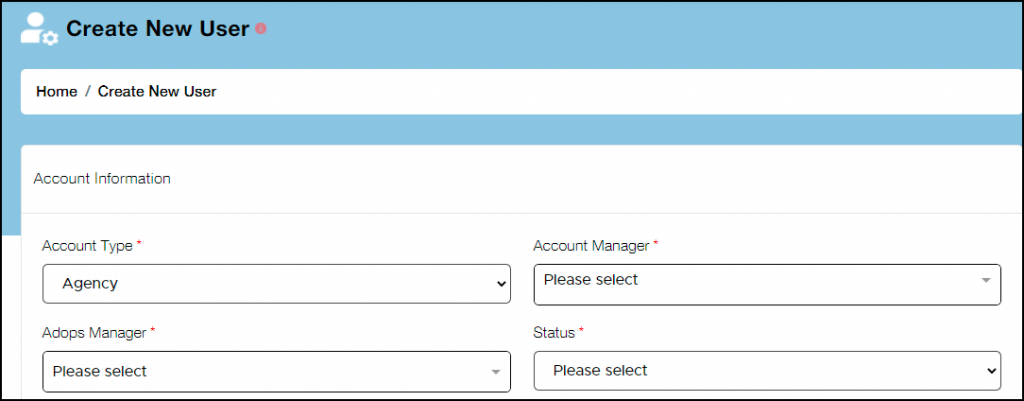
Image 1
Step 2:
- After that enter login information and password
- Email address is to be provided by the client
- Password can or cannot be provided by the client
- In case you set the password, provide the same to the client. They can later change the same

Image 2
Step 3:
- Enter the basic information of he user (image 3)
- Add their name, business name, and website URL
- Add their messenger ID and phone number
- Then enter their geographical information
- All these details are meant to be provided by the client
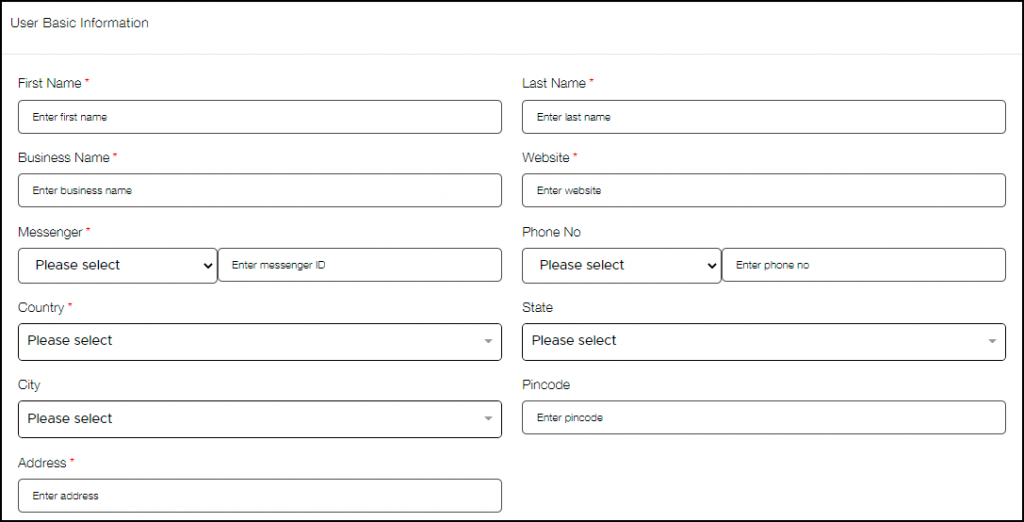
Image 3
Step 4:
- Select the advertising channel that client wants to advertise on (Image 4)
- Now select the visibility, this is for the internal team to decide
- Depending on the standard and budget of the client, visibility is provided
- Note that private visibility cannot be paired be any other kind of visibility
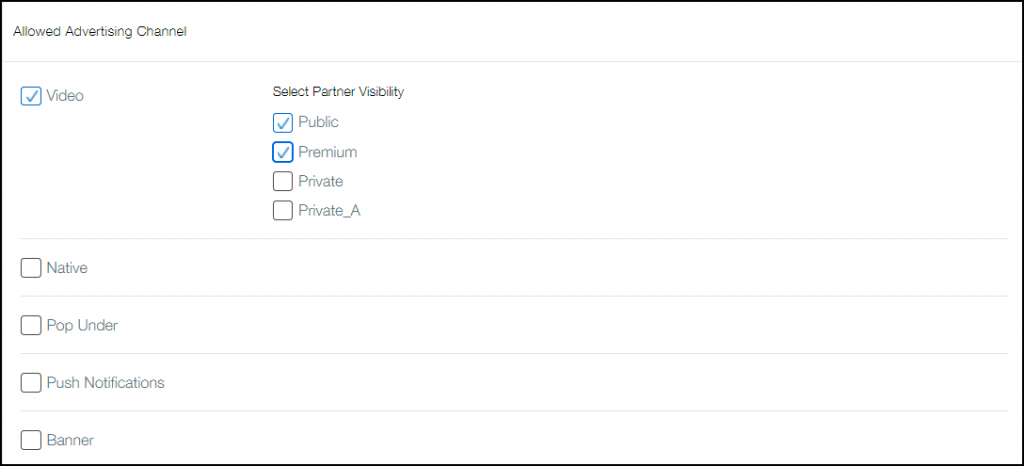
Image 4
Step 5:
- Decide the agency feature rights internally depending on the reputation and budget of the client (image 5)
- Please note, this information is confidential and hence rights must be given appropriately
- This can be kept blank if no rights are to be allotted
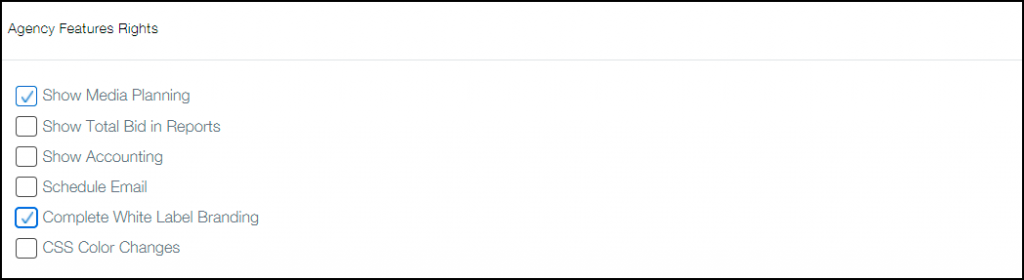
Image 5
Step 6:
- The last step is to add Deal Type, i.e.profit share and Deal Value defines the margin that you want to set aside for yourself.
- Click Submit and you’re done.