
Knowledge Base
How do I create a native ad creative in FlamyAds?
Step 1:
- Go to Creatives – Add New Creatives from the left navigation.
- Select the SubAdvertiser for whom you’re creating the said campaign for.
- Now from Media Channel, select Native.
- Give a name to the creative. For eg. Flamyads_Traffic_Native.
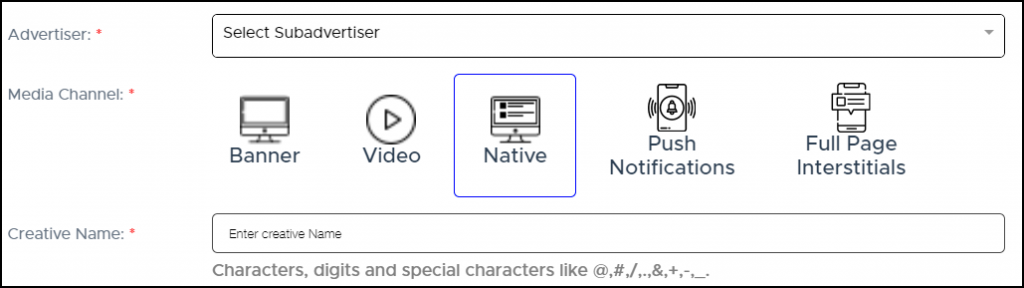
Image 1
Step 2:
- add the Title and Description that will appear alongside your ad.
- Character limit:
- Next, add the Asset Type for your ad. For eg. sponsored. This is an optional field.
- Proceed with adding the Icon image, this could be the logo of the advertiser, and main image. This will be the primary image on your ad creative.
- Select the ad category that your creative falls under.
- Give creative attributes to your ad creative. This is to describe your ad creative in a more precise manner.
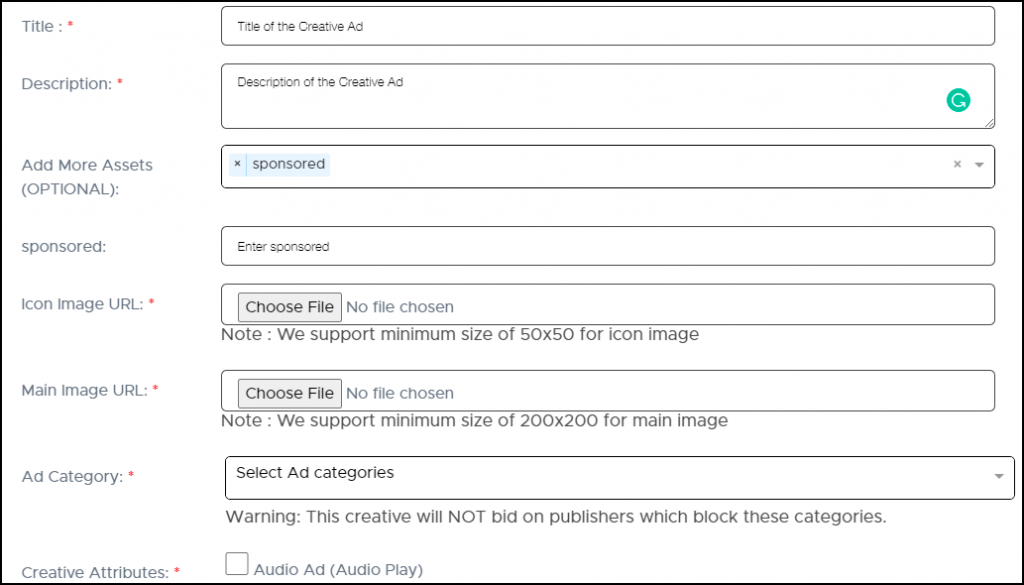
Image 2
Step 3:
- Lastly, add the landing page URL & TLD.
- You can also add the list of macros. This will help you track the performance of the campaign based on the macros that you select.
- TLD will be the main URL of the company you’re creating this ad campaign for.
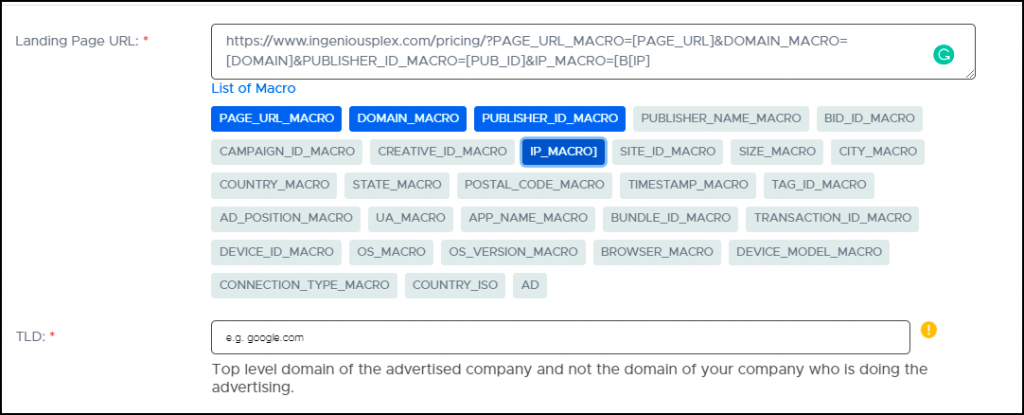
Image 3