
Knowledge Base
How do I create a Banner ad creative in FlamyAds?
Step 1:
- Go to Creatives – Add New Creatives from the left navigation.
- Select the SubAdvertiser for whom you’re creating the said campaign for.
- Now from Media Channel, select Banner.
- Next, choose the creative type from Java and Image.
- Give a name to the creative. For eg. FlamyAds_Traffic_Banner.
- Then select the ad dimension of your creative and choose the category in which your creative falls under.
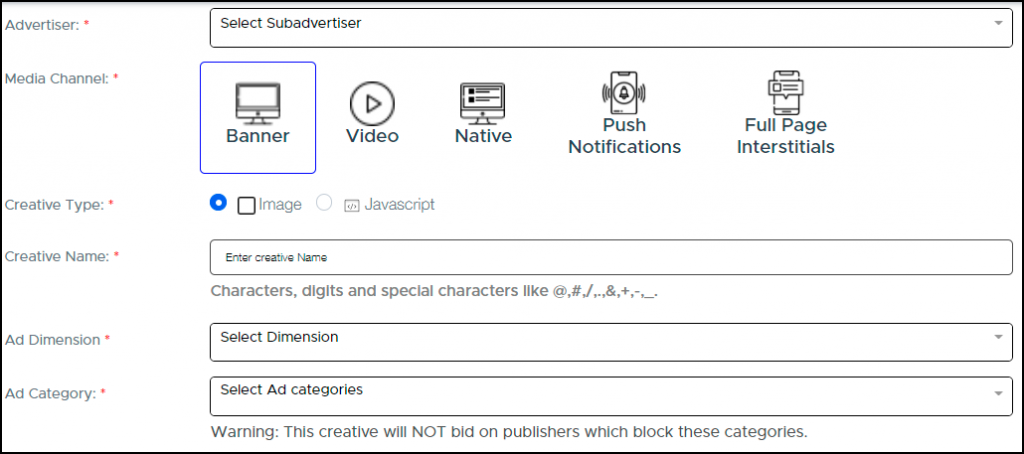
Image 1
Step 2:
If you chose to add an Image:
- Upload the image.
- Give creative attributes to your creative. This is mainly to describe your ad creative more precisely.
- Next, add a landing page URL, where your user should be redirected to upon clicking the add.
- You can also add macros if you want to track performance of certain parameters.
- Finally add the TLD, which is basically the main URL of the advertiser you’re creating the campaign for and not the sub domain.
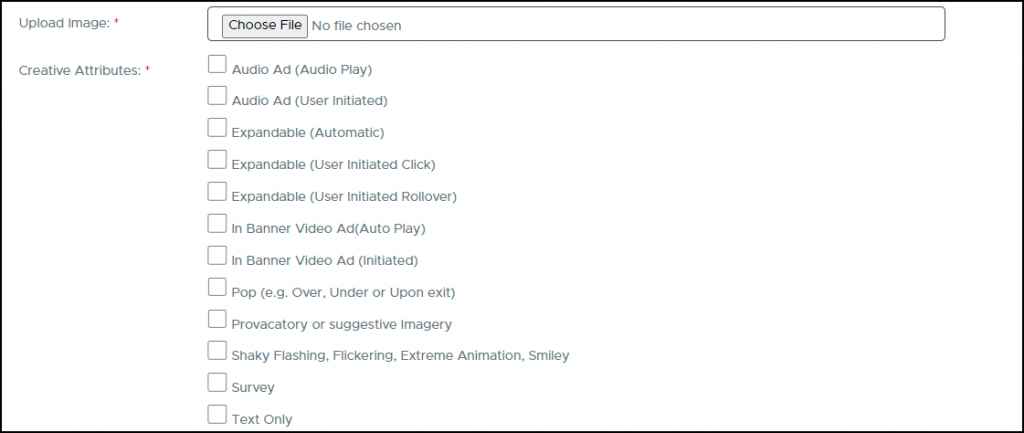
Image 2
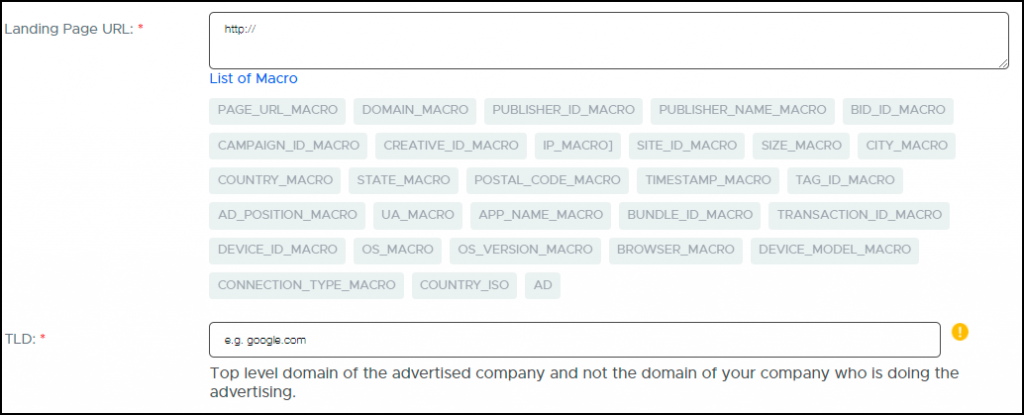
Image 3
Step 3:
If you chose to add Javascript:
- Add the Javascript Tag. (image 4)
- Give creative attributes and finally add the TLD.
- Note that Image or Javascript will be provided to you by your client as per their requirements.
